

How a commissioning idea became a mobile app for iPhone and iPad
Guest article by Dennis Dchicha, RelayGuard
From Practice, for Practice
During the commissioning of protection and control systems, situations regularly arise where quick checks are essential: Is the IED reachable via the station network? Are process values being transmitted correctly? What state and quality information does a data point report? Is a control command accepted or rejected by the device? And can configuration, events, or device files be backed up directly?
For such tasks, a notebook, engineering software, and various diagnostic tools are often available. In practice, however, a compact tool that is quickly available right at the switchgear cabinet, the test bench, or during troubleshooting is often missing.
IEC61850Browser was born out of this need. The native app for iPhone and iPad supports mobile access to IEC 61850-capable IEDs and bundles central tasks for diagnostics, testing, monitoring, export, and analysis in an interface designed for field use.
| Mobile diagnostics, signal verification, and test support directly at the IED IEC61850Browser was developed for typical tasks in commissioning, service, maintenance, and troubleshooting: establishing a connection, exploring the data model, checking values and quality information, monitoring reports, logging events, exporting CID/IID files, testing control commands, and retrieving files from the IED. |
The Technical Foundation
Implementing a complete IEC 61850 client application on mobile devices places special demands on protocol connectivity, data model access, control commands, export functions, and security. The technical foundation is the IEC 61850 framework from MZ Automation.
Thanks to the documented API, IEC 61850 communication could be integrated into a native SwiftUI application. This allowed development to focus on practical usability: as little manual configuration as possible, understandable feedback, and a quick path from connection to the desired information.
| Target audience IEC61850Browser is aimed at specialists in protection technology, substation automation, commissioning, service, and maintenance, as well as developers and programmers in lab and engineering environments. |
Connection and Device Discovery
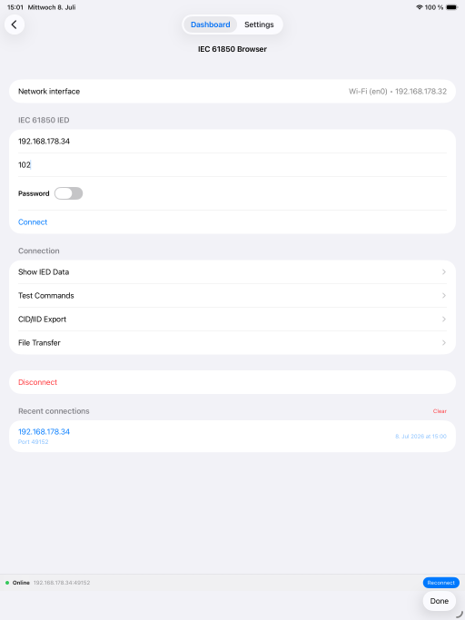
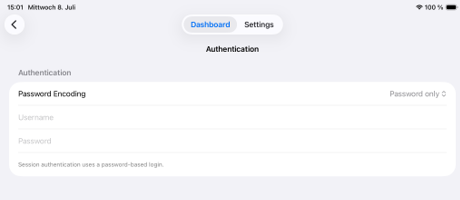
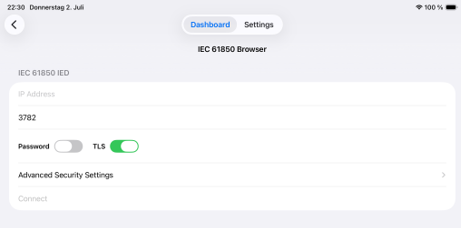
The app allows a direct connection to an IED via IP address and port. For systems that are not reachable via the standard port, the port can be adjusted. For protected IEDs, authentication can additionally be configured with “Password only” or “Username and Password”.
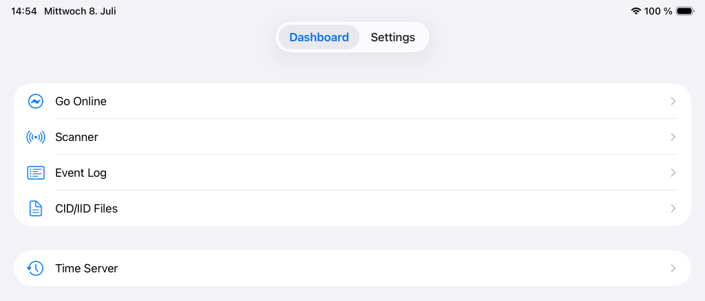
In addition to direct input, a network scanner is available. It scans the IP address range of the selected network interface and shows reachable devices as well as open standard or security ports. The detected IP address and matching port can then be applied directly to the connection.
Mobile Network Interfaces
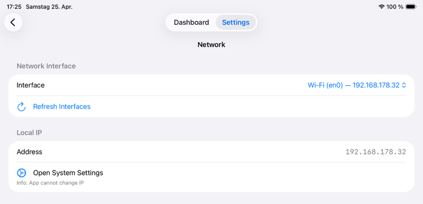
In addition to Wi-Fi, the app supports network interfaces connected via the USB-C port on iPhone or iPad. The interface used can be selected within the app; the IP address is displayed, and the relevant iOS network settings are directly accessible.
The Core Functions in Action
After a successful connection, the app reads in the IED’s current data model. The available functions follow typical workflows from practice: checking data, monitoring signals, documenting events, testing commands, generating SCL files, and retrieving files.
Exploring the Data Model and Monitoring Signals
Under “Show IED Data,” Logical Devices and Logical Nodes can be browsed and individual data points selected specifically. Cyclic monitoring with an adjustable polling interval is available for the selected signals. Values are displayed including timestamp and quality information.
Monitoring can also be done via reports. In this case, report control blocks and their associated data sets are read from the IED, so the user can select and monitor report-based signal groups instead of individual attributes.
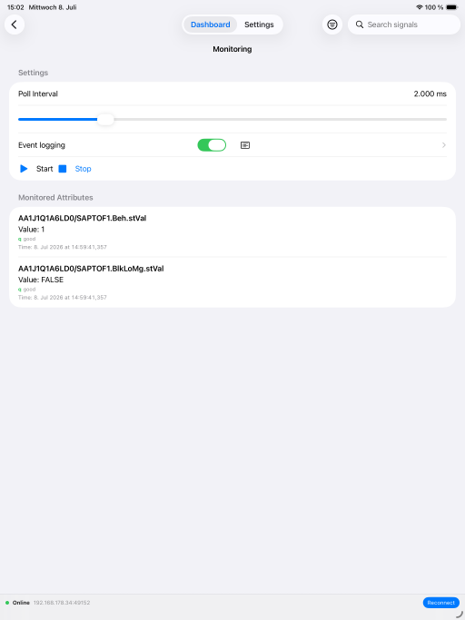
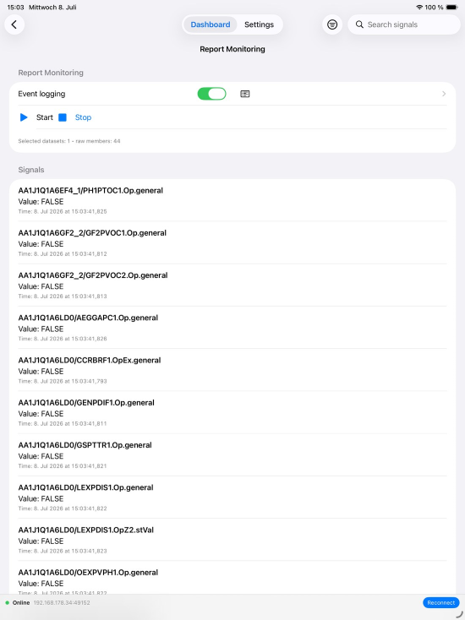
Event Logging for Both Monitoring Methods
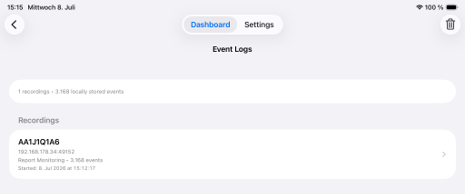
Event creation can be activated for both cyclic and report-based monitoring. This allows value changes and updates to be documented as events and reused afterward. The generated event logs can be stored locally and reopened or exported from there.
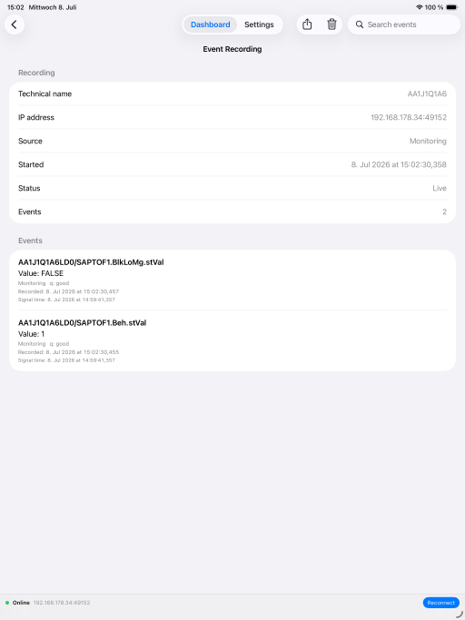
CID/IID Export and Local Storage
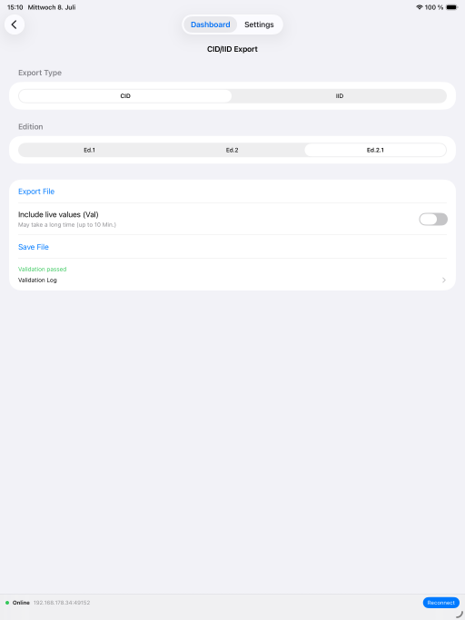
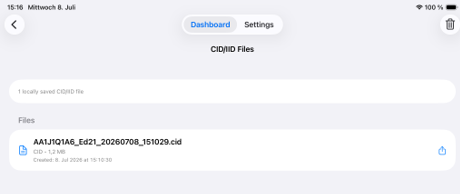
Another focus is SCL export. The connected IED can be exported as a CID or IID file. The target edition and optional export parameters can be selected. The generated files are made available in local app storage and can be backed up, sent, or transferred to other apps via the iOS share function.
Local storage simplifies typical workflows in the field: exported CID/IID files and event logs remain available within the app and can be reopened, reviewed, or shared again later.
Testing Control Commands in a Targeted Way
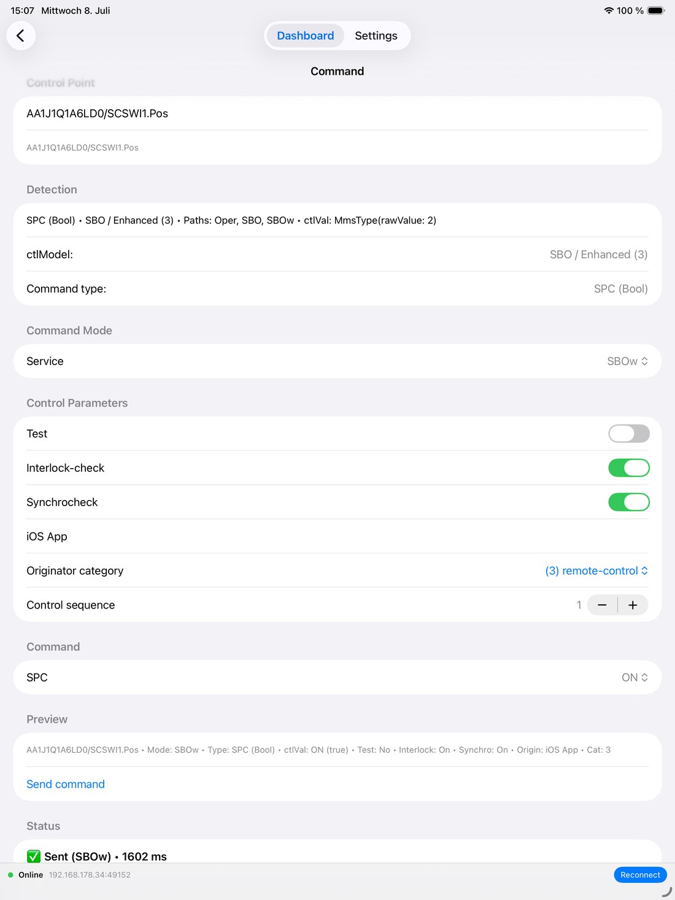
In the “Test Commands” area, the app filters controllable elements from the loaded data model and shows the appropriate input options depending on the respective data type. The app detects whether a signal is intended, for example, as “Select Before Operate” or “Direct Operate,” and executes the sequence accordingly. Depending on requirements, options such as “Interlock Check,” “Test,” and “Synchrocheck” can also be taken into account. After sending, the feedback indicates whether the command was executed or rejected, and for what reason.
Retrieving Files from the IED
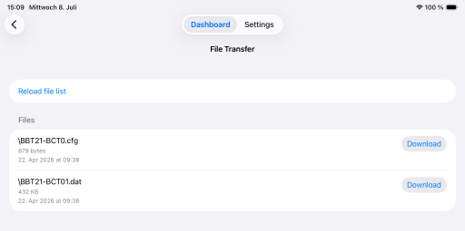
Via “File Transfer,” the file list provided by the IED can be retrieved. Depending on the manufacturer and configuration, this can include, for example, fault records, setting data, or other device files. Files can be downloaded and then saved on the mobile device or passed to other apps via the iOS share function.
Time Server for Testing and Field Situations
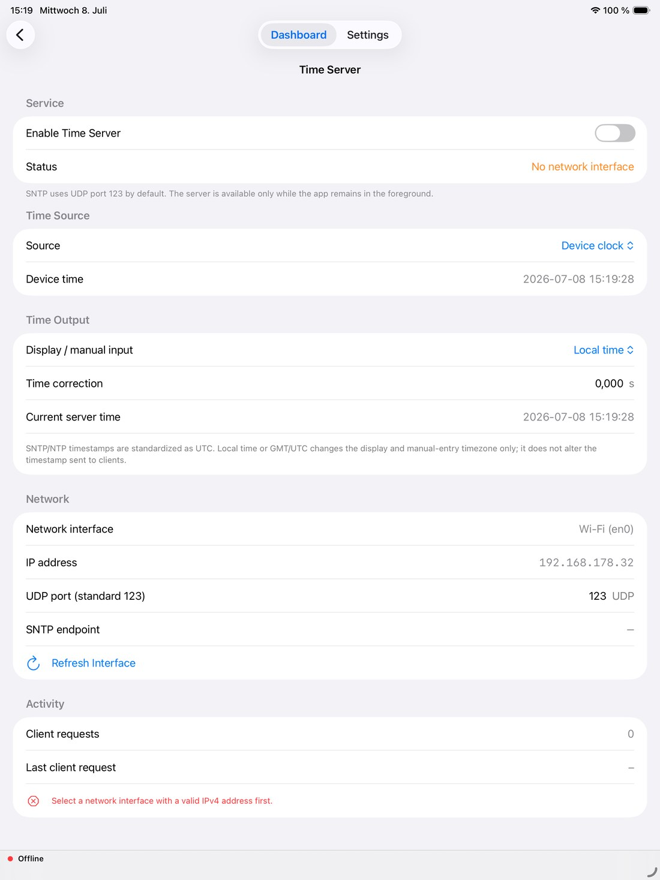
A newly added feature is an integrated time server. It provides an SNTP/NTP time service via the selected network interface while the app is actively in use. The device time can be used as the time source, or a manual time base can be set; the time display can also be adjusted for the user. The time server is intended for mobile testing and lab situations and only runs while the app is active in the foreground.
Typical Use Cases
IEC61850Browser was not developed as a replacement for comprehensive engineering systems. The app complements existing tools wherever a fast mobile check that can be used directly on the device makes sense.
| Scenario | Benefit in the Field |
| Checking reachability | Establish a connection to the IED, check the available port, and quickly assess network communication during commissioning or service. |
| Verifying signals | Read and monitor process values, states, timestamps, and quality information directly from the data model. |
| Checking report-based data | Select reports and data sets, display received data, and use it for diagnostics or functional testing. |
| Documenting events | Generate events from polling- or report-based monitoring, store them locally, and export them as evidence or a basis for analysis. |
| Backing up CID/IID | Export the currently connected IED as a CID or IID file and keep the file locally or share it. |
| Testing control paths | Identify controllable points, check Select-Before-Operate or Direct-Operate sequences, and evaluate feedback. |
| Providing a time service | Provide an SNTP/NTP time service via the selected interface for mobile test setups. |
| Backing up files | Retrieve provided fault records or other files from the IED and share them directly via the mobile device. |
Operation During Longer Use
For longer scan or monitoring operations, “Keep Display On” can be activated. This keeps the display active and prevents iOS from suspending the app in the background while it is in use. Recently used connections can be recalled as quick access; passwords are deliberately not stored.
Security and Responsible Use
Control commands, file access, export functions, and access to IEDs are security-relevant functions. IEC61850Browser supports the technical execution of tests and diagnostic tasks, but does not replace operational approval processes or the protection and security concepts of the respective system. Use is restricted to qualified personnel and must comply with applicable regulations.
In Planning: Extended Cybersecurity Features and TLS
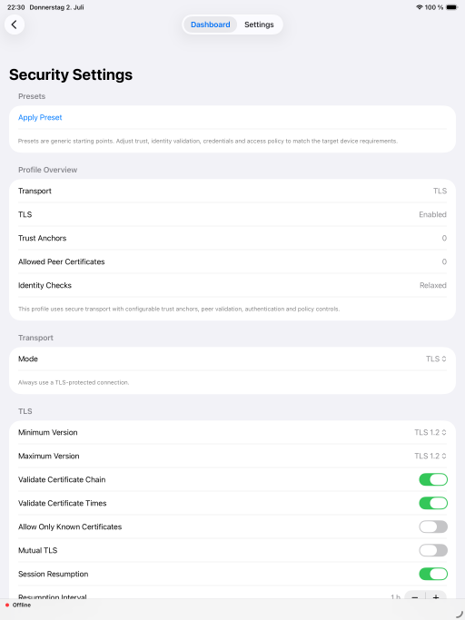
The app is continuously being developed further. Connecting via TLS is still planned for future releases. The goal is to support diagnostics, testing, and troubleshooting even in protected networks without having to disable existing security mechanisms. TLS is not yet included as a productive feature in the current release described here.
Conclusion
IEC61850Browser brings core IEC 61850 tasks to a device that is quickly available in everyday work. The app supports not only the pure connection to an IED, but also creates a direct path from device discovery through signal testing, report monitoring, event documentation, CID/IID export, and the time server, all the way to tests and file access. Download the app today on the App Store.
Feedback, suggestions, and input from practice are explicitly welcome and help to further develop the app in a targeted way
| Contact and further information Further information about IEC61850Browser and contact options are available at RelayGuard.de. Feedback can also be sent to info@relayguard.de. |
Dennis Dchicha
RelayGuard